How to Download Netflix Movies on Laptop (Mac/PC/Chromebook)
For years, the ability to download Netflix movies on a laptop was a lifesaver for travelers and students alike. It allows movie lovers to view favorite shows without worrying about unstable Wi-Fi or data caps. However, if you have recently tried to find the download button on your laptop, you may have noticed that the process has changed significantly.
The familiar download icon on Windows laptop has vanished. This change has led to a wave of confusion and a surge in outdated advice across the internet. This guide explains the current options, safe workarounds, and step-by-step methods to watch Netflix offline on your laptop during a long flight or a remote getaway.
Part 1. Can You Still Download Netflix Movies on a Laptop?
The answer is more complicated than it used to be. The most crucial step in downloading movies on Netflix to a laptop is knowing which platforms actually support the download feature now.
| Device Type | Native Support | Best Method |
|---|---|---|
| Windows Laptop | No | Use a third-party Netflix Downloader for Windows |
| MacBook Air/Pro | No | Use a third-party Netflix Downloader for Mac |
| Chromebook | Yes | Install via Google Play Store |
| iPad / Android Tablet | Yes | Official Netflix App |
 Expert Tips:
To download Netflix movies on your laptop for offline listening, you must rely on third-party Netflix downloaders, such as VidiKeep. It provides an easy solution to download your favorite movies and TV shows from its built-in Netflix Web Player to MP4 or MKV.
For Windows 10/11 Laptops:
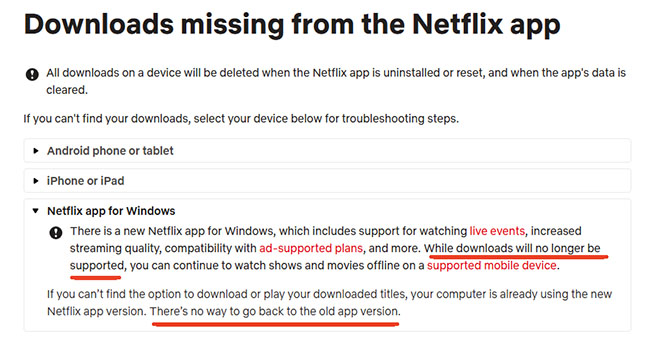
Previously, the Netflix app for Windows from the Microsoft Store was a powerhouse for offline viewing. However, in mid-2024, Netflix updated the Windows 10 and Windows 11 appication to a web-based version. While this update allowed for better compatibility with live events and ad-supported tiers, it resulted in the removal of the offline download feature for the Windows app.
 Tips:
Tips:
If you don't see a download icon in the app, it means your laptop is running the new version. There's no official way to revert to the old app.
For MacBook/macOS:
Mac users face a similar hurdle, as there has never been an official Netflix app for macOS. Because web browsers like Safari, Chrome, and Edge do not support the high-level encryption required for offline storage, you cannot simply hit a download button while watching in a browser on MacBook.
For Chromebook:
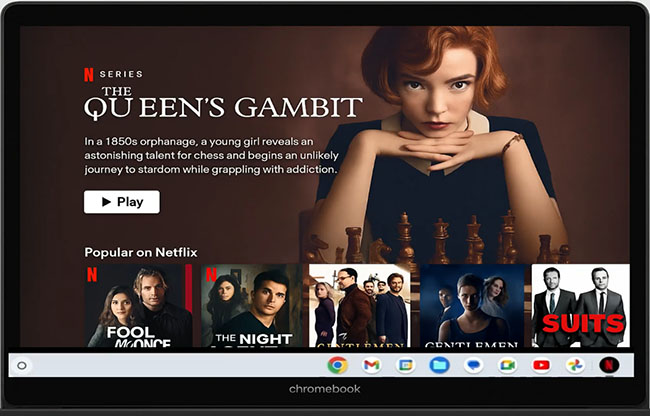
This is the only type of laptop that natively supports downloading Netflix movies right now. Because Chromebooks can natively access the Google Play Store, users can install the Android version of the Netflix app, which retains full download capabilities.
Part 2. How to Download Netflix Movies on Laptop (MacBook & Windows PC)
If you are using a standard Windows or Mac laptop, you will need to adapt your strategy for offline viewing. Since the native apps no longer support storage, the most effective alternative is to use a professional Netflix downloader. VidiKeep Netflix Video Downloader is a dedicated tool specifically designed to bridge this gap.
Unlike standard screen recorders that can be laggy or lose quality, VidiKeep functions as a direct all-in-one video downloader. It logs into the Netflix web interface via a built-in secure browser, allowing you to fetch the source file directly from the server. It empowers you to batch download Netflix movies and TV shows on laptop to MP4 or MKV file in up to 1080p HD quality, complete with original multi-language subtitles and 5.1 surround sound. With it, you can use any local media player on your laptop to watch Netflix downloads offline.
How to Use VidiKeep to Download Netflix Movies on Laptop
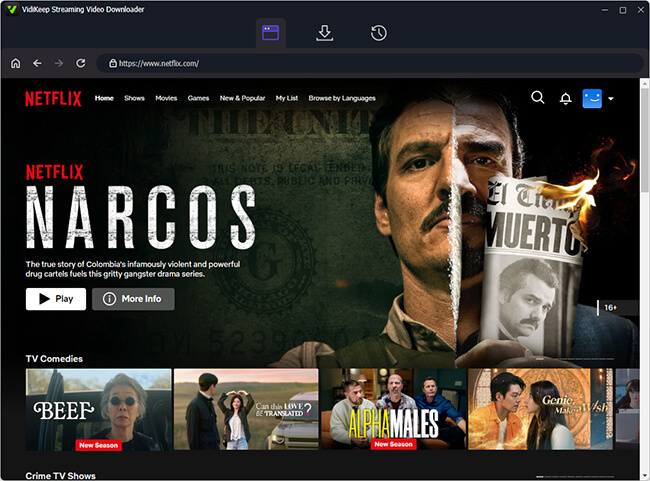
Step 1. Install and open VidiKeep on your Windows or Mac and you will see all supported streaming video services. Tap the "Netflix" icon to launch the Netflix video downloader and visit the Netflix site. Here, you can sign in to your Netflix account.
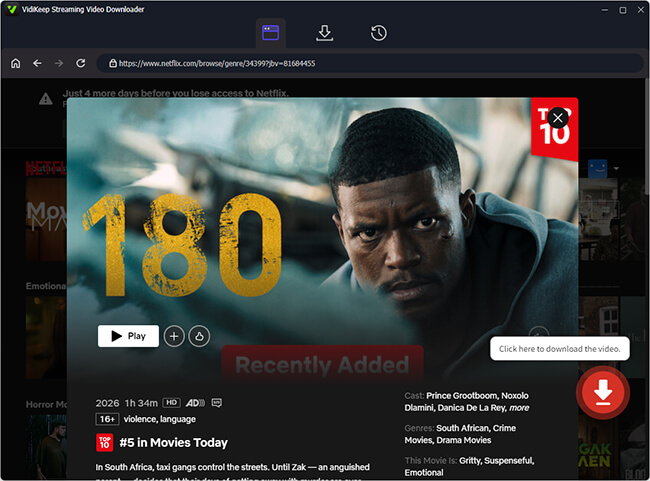
Step 2. Look for the specific movie or TV show you want to save within the Netflix Web Player. You can either browse the interface or paste the Netflix URL directly into the search bar. After that, click the "Download" icon to load it.
Step 3. In the new window, you can select your preferred video resolution (720p or 1080p), video format (MP4/MKV), and choose which audio tracks or subtitle languages you want to preserve.
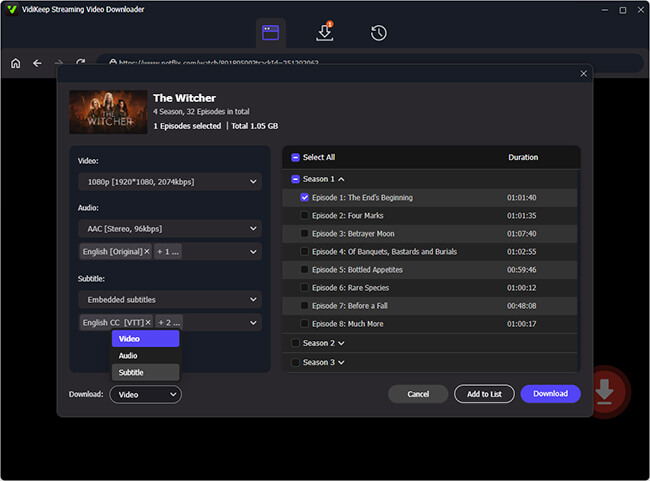
Step 4. Click the "Download" button and VidiKeep will process the video and save it to your laptop's local drive. Alternatively, you can click the "Add to List" button to import it to the download queue and add more favorite shows to download before starting the download process.
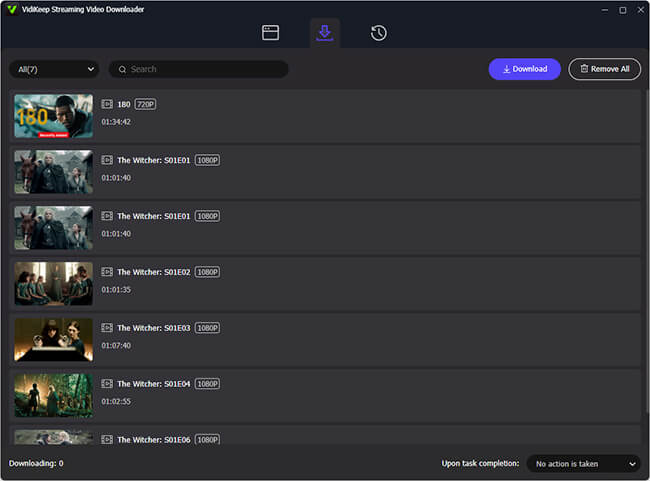
Step 5. Once the download is finished, the downloaded Netflix file is yours to keep. It won't expire after 48 hours like official app downloads, and you can watch it using any media player like VLC or QuickTime offline on your laptop.
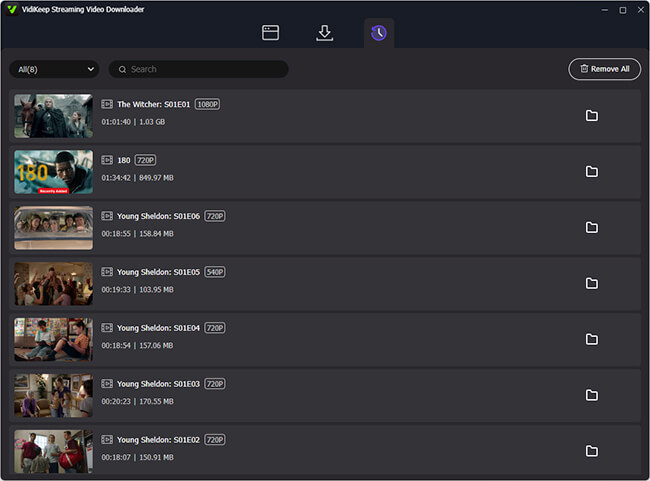
 Editor's Real Tested Result:
In our internal stress test on a standard 15-inch MacBook, we downloaded a 2-hour Netflix blockbuster. The resulting file was 2.4GB, and the entire process, from link detection to the final MP4 export, took just 17 minutes.
 Disclaimer:
VidiKeep Netflix Video Downloader is designed for personal use to download Netflix content on a laptop for offline viewing only. You must comply with Netflix's terms of service. Downloaded content is intended for private, non-commercial use only.
Part 3. How to Download Movies on Netflix on Chromebook Laptop
Chromebooks are currently the only laptops that support offline Netflix downloads. This is because Chrome OS is designed to run Android applications seamlessly. By using the mobile version of the app rather than the web browser, you can access the full suite of downloading features. If you are using a Chromebook, you can refer to the follow steps:
How to Download Movies from Netflix on Chromebook Laptop
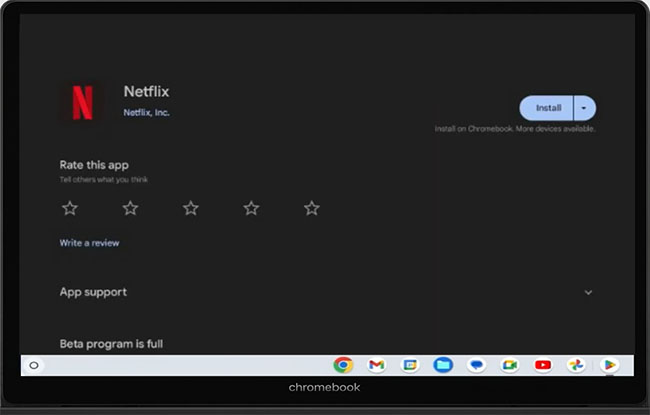
Step 1. Open the Google Play Store on your Chromebook, search for "Netflix", and tap the "Install" button to download the official Netflix Android app.
Step 2. Sign in to your Netflix account and browse your library to find the movies or shows that you'd like to download.
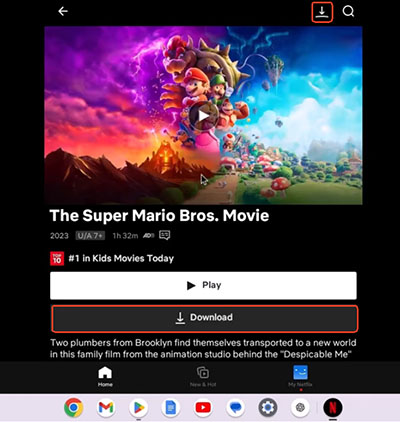
Step 3. Look for the "Download" button under the movie title and click it to save the Netflix file directly to your Chromebook's internal storage.
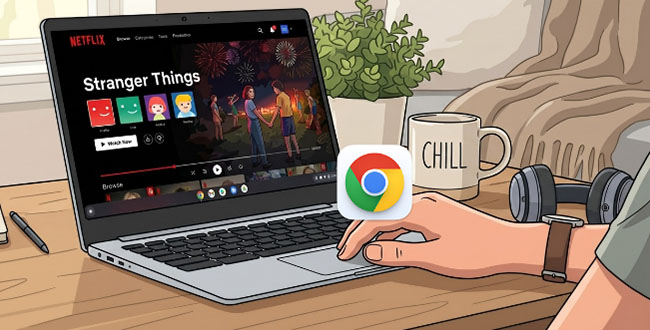
Learn how to watch Netflix on a Chromebook via browser, install the Netflix Andriod app, download content for offline viewing, and get troubleshooting tips.
Note:
According to the type of your Netflix subscription, you are limited to up to 2 or 6 devices and 15 or 100 active downloads per device. Besides, unwatched downloads remain on the device for 7 to 30 days. Once you presses "Play", the download usually expires within 48 hours.
Part 4. Performance Benchmark: Netflix Download Quality vs. Storage Footprint on Laptop
When downloading Netflix content to your laptop, choosing the right resolution is a balance between visual fidelity and disk space management. Use the table below to estimate how much space your download library will occupy.
| Resolution | Quality Tier | Avg. Size per Hour | Ideal For |
|---|---|---|---|
| 720p | Standard HD | ~1.2 GB | Portable devices, small screens, saving space. |
| 1080p | Full HD | ~2.5 GB | Standard laptops, monitors, balanced experience. |
| 4K UHD | Ultra HD | ~7.0 GB+ | Large external monitors, home theater setups. |
Pro-Tip for Laptop Users: Manage Your Storage:
If you are planning to build a large offline library, your laptop's internal SSD will fill up quickly. Follow these two strategies to avoid storage bottlenecks:
- Utilize External Storage: If your laptop supports it, map your download directory directly to an external SSD or high-speed USB flash drive. This keeps your primary OS drive clean and prevents performance degradation caused by low disk space.
- Monitor Batch Downloads: If you are downloading a 10-episode season in 1080p, you are looking at approximately 25GB of data. Before starting a batch download, always check your "Free Space" indicator to ensure the download won't be interrupted by a "Disk Full" error.
Part 5. FAQs about Downloading Netflix Shows on Laptop
Where is the download button on Netflix on a laptop?
There is no official download button on a Windows or Mac laptop. In the Android app on a Chromebook, the download button on the details page of a movie or next to a TV show episode.
Can I download Netflix movies on a MacBook?
No. There is no native Netflix app for macOS, and browser-based downloads are not supported. To watch offline on a Mac, you must use a professional video downloader like VidiKeep.
Can I transfer Netflix downloads from mobile to laptop?
Titles downloaded via the Netflix mobile app are encrypted and locked to the specific device's hardware and account ID. If you need the files on your laptop, the most efficient method is to download them directly to your PC using a third-party downloader.
How long do Netflix downloads stay available?
On mobile devices, downloaded titles expire after 48 hours once playback starts, or within 7 or 30 days for some content. Third-party downloads stored locally have no expiration.
Can I download Netflix 4K content on my laptop?
Official support for 4K downloads is not currently available. Even VidiKeep is currently limited to a stable resolution of 1080p. 4K playback typically requires a specific HDCP 2.2 hardware chain.
Part 6. In Conclusion
Downloading Netflix movies on a laptop has changed significantly in recent years. While Windows and Mac users no longer have native support, tools like VidiKeep Netflix Video Downloader offer a reliable workaround to save movies and TV shows offline in high quality. Chromebooks remain the exception, with full download capabilities via the Android Netflix app. By understanding the limitations and using the right tools, you can continue to enjoy your favorite Netflix content anywhere, whether on a long flight, a remote getaway, or simply when internet access is unreliable.

Jordan Rhodes is a Chief Technical Editor and Media Specialist at VidiKeep, specializing in creating diverse tech content, including streaming tutorials, software reviews, and video encoding tips.
Leave a Comment