How to Watch Netflix on Nintendo Switch 2/OLED/Lite
Let's get straight to the facts about how to watch Netflix on Nintendo Switch. The reality is that Netflix is not officially available on Nintendo eShop. If you are searching for a quick, official download to binge your favorite shows between gaming sessions, it simply does not exist right now. Nintendo continues to position its console primarily as a dedicated gaming ecosystem, leaving many popular streaming services out of the mix.
However, that does not mean getting Netflix on a Nintendo Switch is technically impossible for the highly motivated. In this guide, we'll explain the current status of Netflix on Switch, discuss potential workarounds, and show a practical way to watch Netflix content on your Switch for offline viewing.
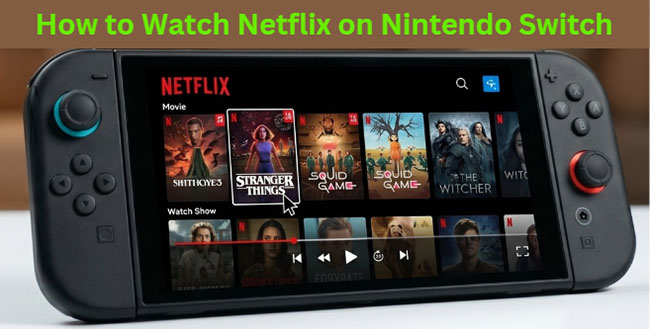
Part 1. Can You Get Netflix on Nintendo Switch Officially?
No. Netflix is not available as an official application on Nintendo Switch, Nintendo Switch Lite, Nintendo Switch OLED, or Nintendo Switch 2. Unlike gaming platforms such as PlayStation and Xbox, Nintendo Switch does not offer a Netflix app through the Nintendo eShop. Searching for Netflix in the eShop will not return any official results, and there is currently no announcement indicating that Netflix support is coming in the near future.
Current Status of Switch, OLED, Lite, and Switch 2
Many users assume that newer Nintendo hardware may support Netflix, but the situation remains unchanged across the entire Switch family. This means there is currently no official way to stream Netflix directly on any Nintendo Switch model.
| Nintendo Console | Netflix for the Nintendo Switch App Available? |
|---|---|
| Nintendo Switch | No |
| Nintendo Switch Lite | No |
| Nintendo Switch OLED | No |
| Nintendo Switch 2 | No |
The Truth About the Nintendo Switch Hidden Browser Trick
Many online tutorials claim you can watch Netflix by altering your primary DNS settings to access the Switch's hidden built-in web browser. While this DNS trick does successfully load the Google homepage and allow you to log in to your Netflix account, it completely falls apart when you actually try to watch Netflix video content on Switch. Do not waste your time trying to log in through this method. It is a dead end.
 Why Hidden Browser Fails to Stream Netflix:
The problem boils down to digital rights management technology. The Switch's rudimentary browser lacks the Widevine DRM support that Netflix and other major streaming platforms require to decrypt and serve their video streams securely. Without this cryptographic handshake, Netflix simply throws a playback error the moment you hit play.
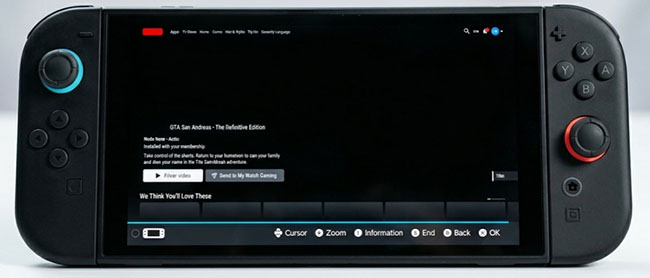
Part 2. How to Download and Watch Netflix on Nintendo Switch via VidiKeep
If your goal is simply to enjoy your favorite Netflix shows and movies on your Nintendo Switch during flights, daily commutes, or off-grid travel, downloading the Netflix videos to a computer and transferring them to your Switch is the most reliable workaround.
However, Netflix strictly limits its official offline downloading feature to mobile devices, leaving PC, and Mac users out in the cold. To do this, you have to use the VidiKeep Netflix Video Downloader. It can easily convert your video files to compatible, high-definition MP4 and MKV files for offline viewing anywhere. After that, you can transfer them directly to your Switch's external storage. This method bypasses complicated, risky console modifications and focuses purely on local media playback. You can also watch Netflix on PS5/PS4/PS3 and other game consoles offline.
How to Download Netflix for Nintendo Switch for Offline Watching
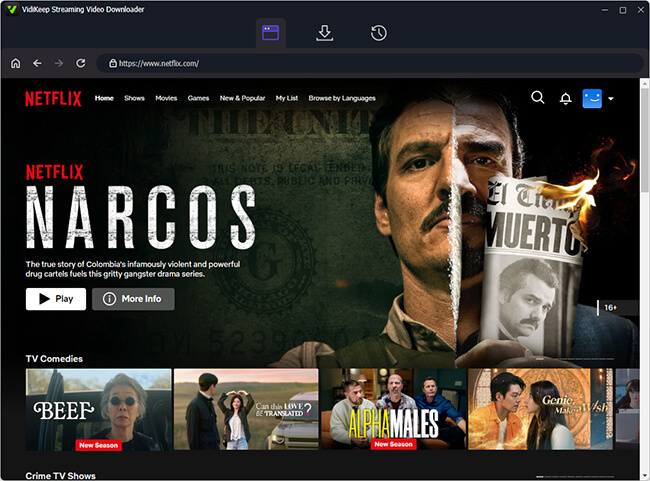
Step 1 Log In to Netflix Account with VidiKeep
Install and launch VidiKeep on your computer. Click the Netflix icon to open the built-in Netflix video downloader. Now, you can use the built-in web player interface to log into your Netflix account securely.
Step 2 Add Netflix Movies and Shows to Download
Browse or search for the movies and TV shows you want to save for offline viewing on Switch. Once you've selected the content, click the Add icon to add it to the download queue.
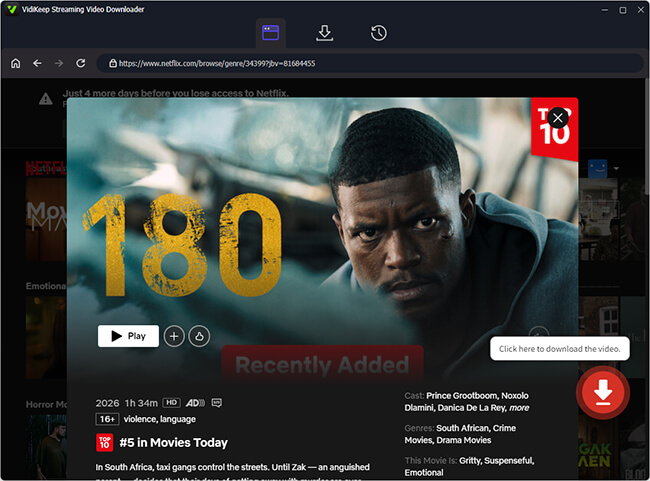
Step 3 Download Netflix Videos for Switch
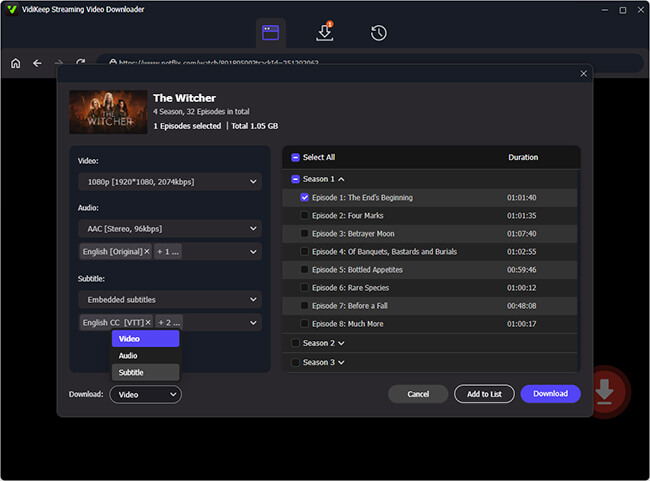
Before downloading, you can customize your video settings for the best balance of quality and file size on your Switch screen. After that, click the Download button, and VidiKeep will utilize its high-speed hardware acceleration to download and save the encrypted stream as a permanent file on your hard drive.
Step 4 Transfer Netflix Downloads to a microSD Card
After completion, locate Netflix videos by clicking the History option and verify that the files play correctly on your computer. And then, you can refer to the following steps to sync and watch Netflix on Nintendo Switch:
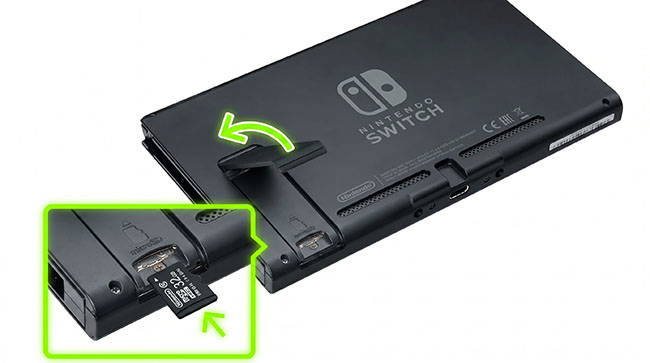
- Remove the microSD card from your Switch and connect it to your computer using a card reader.
- Copy the downloaded MP4 video files from your computer and paste them into a designated folder on your microSD card (e.g., a custom folder named Videos).
- Safely eject the card from your computer and insert it back into your Nintendo Switch.
- Depending on your media playback setup, you can access and watch the transferred video files offline.
 Important Tech Note on Switch Media Playback::
Because the stock Nintendo Switch OS does not include a default file explorer or generic video player app, you will need a media system to read these files.
- For Homebrew/Modified Consoles: Open your custom file manager (like NX-Shell) or media player application (like NXGallery) to browse your microSD folders and play the MP4 files directly.
- For Unmodified Consoles: Many users utilize local media server loops (such as setting up a hidden browser access link to a local Plex server) to stream or view offline files via the Switch's internal web browser functions.
Part 3. How to Watch Netflix on Switch via Installing Android App
For tech-savvy users determined to get Netflix on their Nintendo Switch, the functional method is installing a custom Android operating system like LineageOS. This effectively turns your gaming console into an Android tablet, granting you full access to the Google Play Store and its native apps.
Before you proceed, you must verify your hardware compatibility. This exploit only works on unpatched "V1" Nintendo Switch consoles released before mid-2018, as they possess the necessary hardware vulnerability to load custom payloads. If you bought your Switch later, including OLED or Lite models, this method is physically impossible.
Understanding the Risks of Modding Before Following:
Modding your hardware is not a decision to take lightly. Installing custom firmware completely voids your warranty and exposes you to system instability. Furthermore, if you accidentally connect to Nintendo's official servers while running unauthorized software, your console is highly likely to face a permanent hardware ban from the Nintendo Network.
Here is a brief overview of how the process works if you have the right hardware:
Step 1. Prepare a high-speed micro SD card exclusively for the Android installation to keep it entirely separate from your standard Nintendo operating system.
Step 2. Use a payload injector tool via a PC or smartphone to push the Hekate bootloader onto your unpatched Switch while in Recovery Mode (RCM).
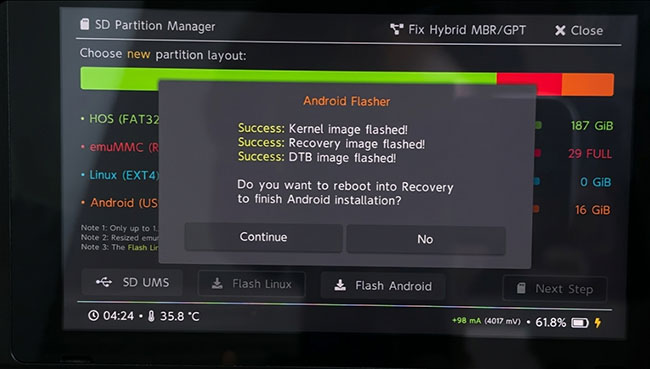
Step 3. Flash the LineageOS Android build onto the SD card, boot into the new interface, and download the official Netflix app from the Google Play Store.
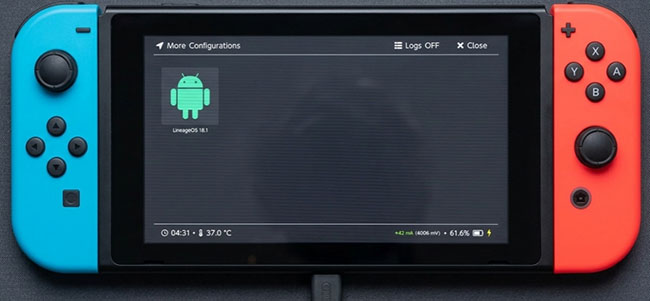
Step 4. Launch the Netflix app on Nintendo Switch and search for favorite movies or TV shows to play.
The Major Catch: Widevine L3 and 480p Streaming:
Even if you successfully install Android, your Netflix streaming experience on Switch will be severely compromised. Because the Android environment is running via an unofficial workaround, it cannot authenticate the hardware for high-definition streaming.
Your modded system will only support Widevine L3 DRM. This means Netflix will permanently cap your video playback resolution at 480p standard definition. On the Switch's larger 720p screen, this looks noticeably blurry and pixelated compared to native gaming graphics.
Part 4. Official Streaming App Alternatives on the Nintendo eShop
If you prefer to stream video content directly on your console without managing file transfers or third-party workarounds, the Nintendo eShop does offer a couple of legitimate options. These apps are fully supported, safe to download, and optimized for the platform's hardware capabilities.
However, the streaming landscape on Nintendo consoles is highly restricted, and recent platform shifts mean your options depend heavily on which specific generation of the hardware you own.
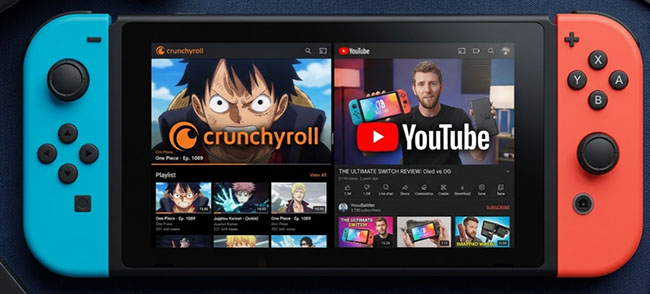
Current App Status & Platform Compatibility
| Streaming App | Nintendo Switch (Standard / OLED / Lite) | Next-Gen "Nintendo Switch 2" |
|---|---|---|
| YouTube | Active (Free download) | Pending (In development/verification) |
| Crunchyroll | Active (Free download) | Not Supported |
| Hulu | Discontinued (Ended Feb 5, 2026) | Not Supported |
Official Media Apps Available Right Now
Note:
The following streaming video services are available on original Nintendo Switch family only.
- YouTube: Seamlessly optimized for both handheld and docked television play. It provides access to your personal subscriptions, endless user-generated content, livestreams, and any movies or shows you have purchased or rented through your Google account.
- Crunchyroll: The absolute premier destination for anime on the console. You can easily follow the official login FAQs to sync your watch history, access your watch queues, and stream major simulcasts in high definition.
Part 5. FAQs About Getting Netflix on Switch
Does Nintendo Switch 2 have Netflix?
No. Netflix is not currently available on Nintendo Switch 2.
Why Netflix is not available on Nintendo Switch?
Nintendo has never publicly provided a detailed explanation for the absence of Netflix on Switch. Likewise, Netflix has not announced plans for a dedicated Switch app. Several factors may contribute to the situation:
- Nintendo's Focus on Gaming: Unlike smart TVs, tablets, or streaming boxes, Nintendo primarily markets the Switch as a gaming platform. Over the years, Nintendo has placed greater emphasis on gaming experiences than multimedia services.
- Limited Streaming App Support on Switch: While a handful of streaming services have appeared on Switch over the years, the platform's entertainment app ecosystem remains limited compared to competing devices.
Why older Nintendo consoles had Netflix?
Some longtime Nintendo fans may remember that Netflix was previously available on devices such as:
- Nintendo Wii
- Nintendo Wii U
- Nintendo 3DS
However, support for these versions ended years ago. When Nintendo launched the Switch, Netflix was never added to the platform.
Part 6. Final Verdict
Although Netflix remains unavailable on Nintendo Switch, Nintendo Switch Lite, Nintendo Switch OLED, and Nintendo Switch 2, there are still ways to watch Netflix content on the go.
For most users, attempting to install Android introduces unnecessary complexity. A more convenient approach is to download Netflix videos to your computer using VidiKeep, transfer them to storage accessible from your Switch, and enjoy offline viewing wherever you are.
Until Nintendo and Netflix officially support the platform, this remains one of the most practical alternatives for users who want a portable Netflix experience alongside their favorite Nintendo games.

Jordan Rhodes is a Chief Technical Editor and Media Specialist at VidiKeep, specializing in creating diverse tech content, including streaming tutorials, software reviews, and video encoding tips.
Leave a Comment