Get Apple TV App on Roku: Quick Guide
Apple and Roku have expanded their partnership over the years, bringing the Apple TV app to a wide range of Roku streaming players and Roku TVs. And you can enjoy and subscribe Apple TV content without leaving the Roku ecosystem. This guide explains how to get started, and watch Apple TV movies and shows on Roku with ease.
Part 1. Can You Get and Watch Apple TV on Roku?
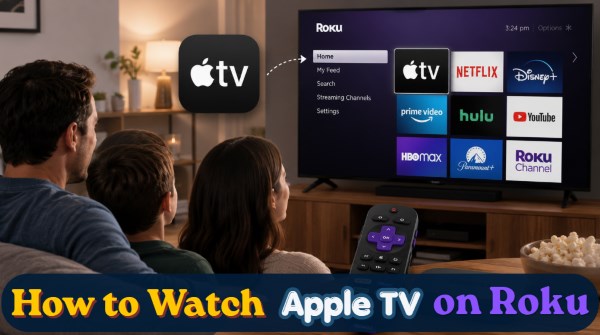
Yes, you can get and stream Apple TV on your Roku device. Thanks to a major partnership launched in March 2026, accessing Apple's premium library is now easier than ever. Apple TV is now fully integrated into Roku's Premium Subscriptions lineup directly within The Roku Channel. This means millions of users can now discover, subscribe, and stream Apple's exclusive shows using their existing Roku account.
Is Apple TV on Roku Free?
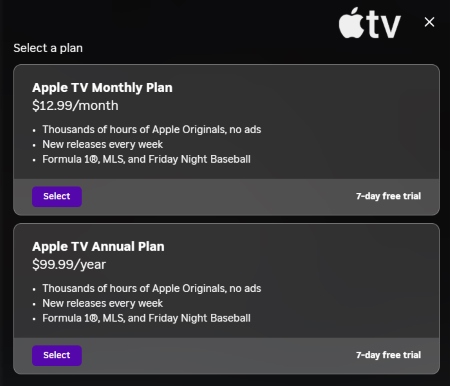
Downloading and installing the Apple TV app from the Roku Channel Store is completely free of charge. However, accessing the content within the platform requires financial choices. You can rent or buy individual movies, or you can sign up for the premium Apple TV streaming subscription service.
The standalone Apple TV subscription currently costs $12.99 per month or $99 per year in the United States. New subscribers can typically take advantage of a 7-day free trial to test out the service before any billing occurs.
Part 2. How to Watch Apple TV on Roku
Setting up the platform takes only a few minutes when you follow the correct sequence. By ensuring your hardware is ready and logging in correctly, you will avoid the most common sign in issues.
1.1 How to Get and Add Apple TV App on Roku
Step 1 Check If Your Roku Is Compatible
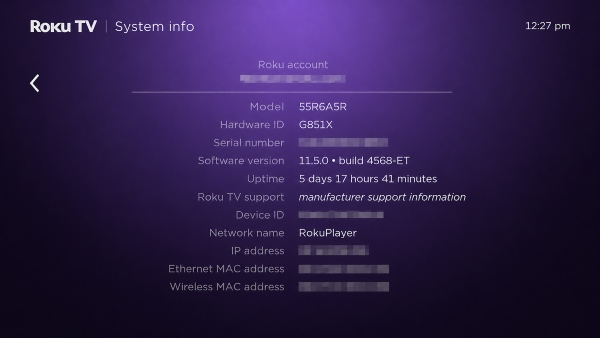
Before downloading anything, it is important to verify that your specific device supports the application. Most modern Roku TVs, streaming sticks, and players easily run the software without any performance issues. However, if your hardware is significantly older, you might find that the app is unavailable due to hardware limitations. To check your hardware version, navigate to your Roku "Settings" menu, select "System" and then click "About".
Step 2 Download and Install the Apple TV App
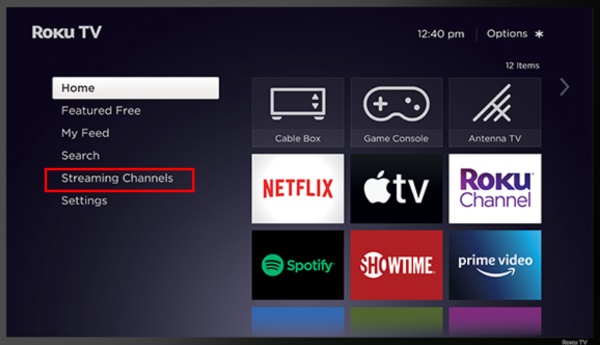
Adding the channel to your home screen is a straightforward process that can be completed using your Roku remote control. Just press the "Home" button on your Roku remote to open the main dashboard interface. Then scroll down to select "Streaming Channels", open the search menu, and type in "Apple TV". Next, highlight the official app from the search results, click "Add Channel" , and confirm the installation.
Step 3 Activate and Sign In to Apple TV on Roku
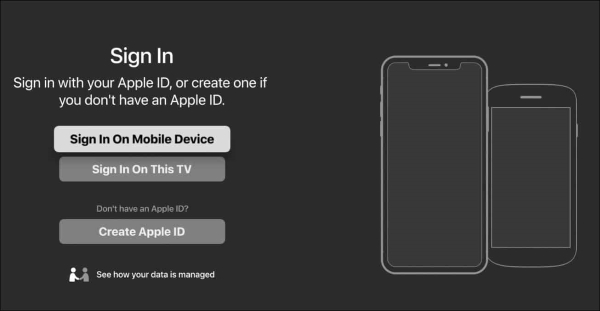
Launch the newly installed Apple TV app from your main Roku channel grid. Navigate directly to the "Settings" menu inside the app, select "Accounts", and click "Sign In". Choose either to scan the on-screen QR code with your smartphone or manually enter your Apple account.
1.2 How to Stream Apple TV on Roku
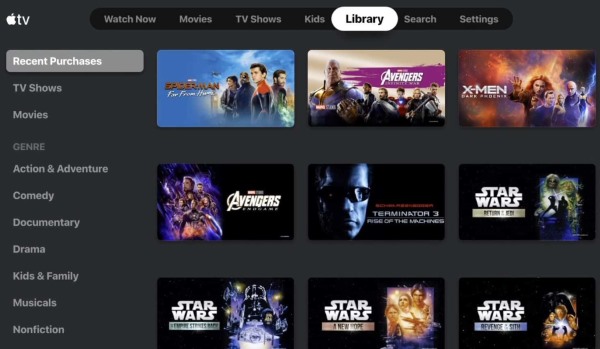
Once logged in, browsing the Apple TV originals on your Roku is entirely seamless. Use your Roku remote's directional pad to skim through curated, high-definition categories or quickly access the built-in search tool for specific titles. When you find a movie or show you want to watch, simply highlight it and press the OK button to pull up its summary page and start streaming instantly.
Part 3. Bonus Tips: Subscribe to Apple TV via the Roku Channel
In an exciting platform update, Roku officially added Apple TV to its add-on subscription roster. This means that instead of using the standalone app, you can now subscribe to Apple's streaming service directly through the Premium Subscriptions page on The Roku Channel. Going forward, Apple TV content will be fully accessible through both its standalone Roku app or via your unified Roku account.
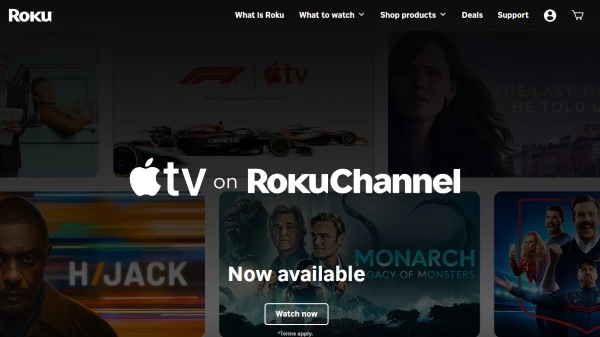
This major upgrade aims to deliver a remarkably seamless viewing experience for users who prefer centralizing their media. It completely cuts out the need to create new account information, remember extra passwords, or manage multiple billing statements. You can access all of your favorite premium shows with a single login across your Roku device, the Roku mobile app, or via the web at my.roku.com.
Part 4. How to Watch Apple TV on Roku Offline
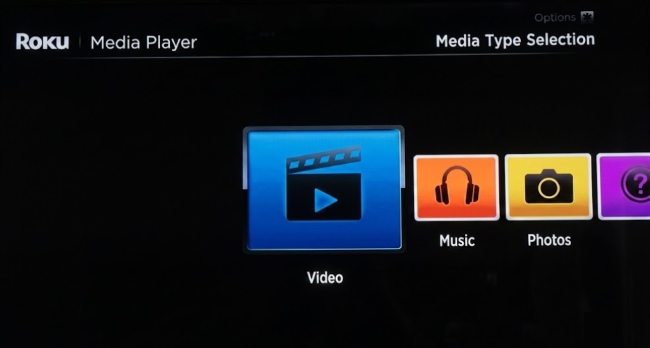
If offline viewing is your priority or your Roku models not support the Apple TV app, VidiKeep Streaming Video Downloader offers a practical alternative. It downloads Apple TV movies and series to your computer as local files, so you can keep a permanent offline copy. You can then transfer the downloaded videos to a USB drive and play them on compatible Roku devices using Roku Media Player, eliminating the need for an internet connection.

Download your favorite Apple Originals to MP4 or MKV with zero quality loss for offline viewing on Roku.
Step 1 Set Up Your Format and Quality Rules
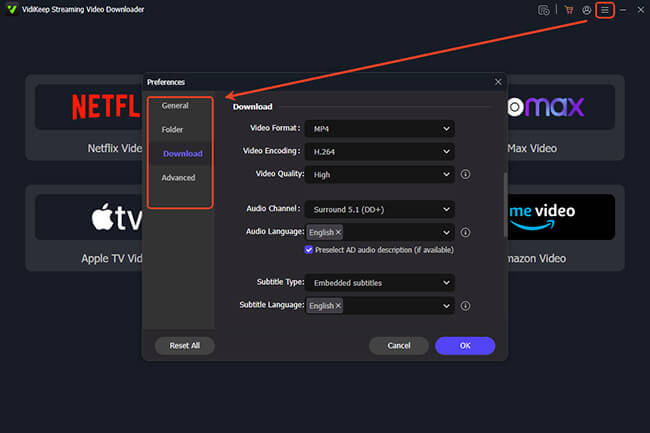
Before grabbing any media, it is highly recommended to customize your export parameters so they align perfectly with your Roku Media Player. Open the software settings by navigating to the "Preference" menu and selecting the "Download" tab. This area allows you to choose between universal MP4 or high-quality MKV formats, adjust the video codec to save space on your USB drive, and lock in your preferred audio languages.
Step 2 Access the Apple TV Platform
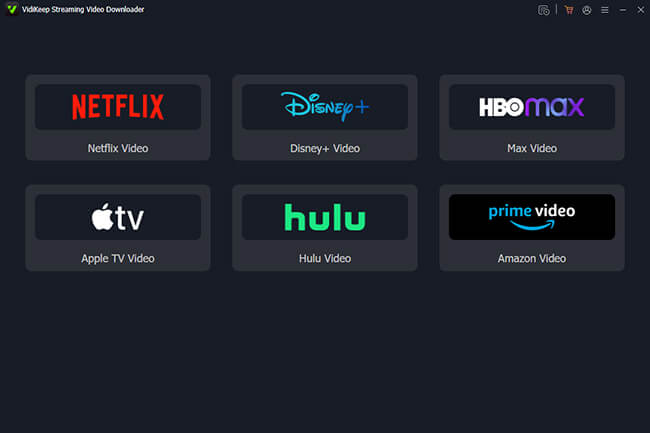
Return to the main dashboard interface, which displays a collection of popular video platforms. Click on the Apple TV Video module to open the secure browser window. From there, you can safely log into your account to access your active subscription or library.
Step 3 Locate and Analyze Your Videos
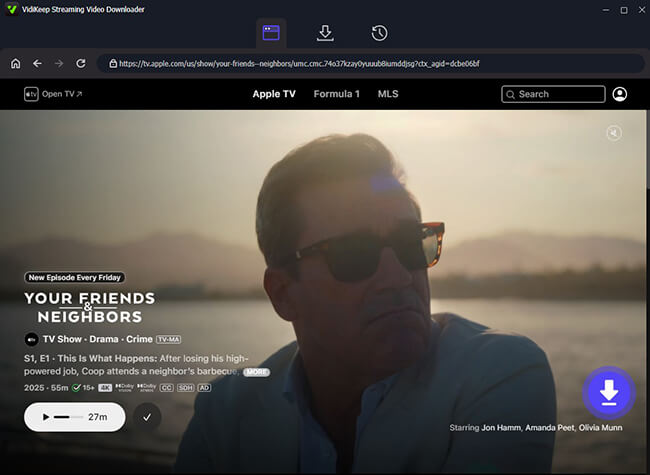
Browse through the integrated interface to find the specific movies or series episodes you want to preserve. Once you land on the main page of your chosen title, a floating "Download" action button will appear in the corner of your screen. Clicking it prompts the software to instantly prepare the video for extraction.
Step 4 Queue and Execute the Download
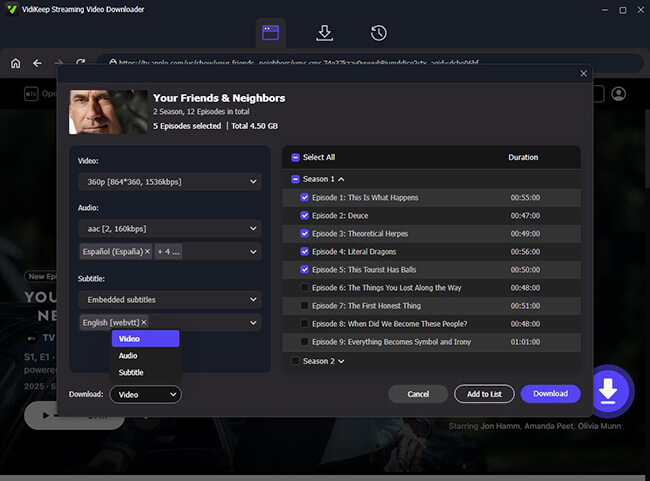
A final adjustment window will appear that allow you confirm your final resolution and audio track selections. After making your choices, you can easily queue up entire seasons using the "Add to List" feature, and click the "Download" button, your permanent files will be waiting for you in your local "History" section.
Step 5 Transfer to a USB Drive for Roku Offline Playback
Plug a portable USB flash drive into your computer and copy the downloaded video files over. Next, insert that USB drive into the physical port on your Roku TV. Simply launch the "Roku Media Player" app from your home screen, navigate to your connected drive, and enjoy flawless offline playback of your Apple TV content directly on your Roku.
Part 5. FAQs about Apple TV on Roku
How to Fix Apple TV Not Working on Roku?
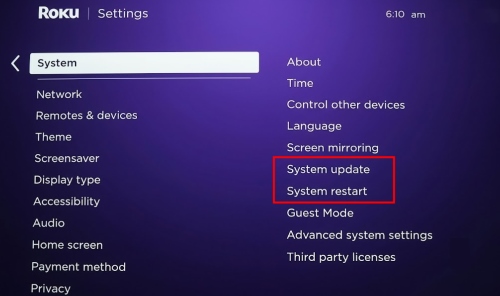
When the application freezes or displays a blank screen, a quick system reboot usually clears out the temporary cache conflict. Navigate to your Roku system settings, choose "Power," and select "System Restart" to refresh the operating system. Ensuring your Roku software is completely up to date will also prevent performance bugs.
Why can't I sign in to Apple TV on Roku?
Login failures are typically caused by typing errors with your Apple ID or security verification delays. If you use two-factor authentication, make sure your mobile device is nearby to approve the incoming security code promptly. Alternatively, using the mobile web-activation method via the on-screen QR code bypasses tricky on-screen keyboard entry.
How to cancel Apple TV on Roku?
How you cancel depends entirely on how you initially signed up for the streaming service. If you subscribed via the new "Premium Subscriptions" on The Roku Channel, you can manage and cancel the service directly by visiting my.roku.com on your computer.
However, if you signed up directly through Apple, you must manage your cancellation via your Apple ID account settings on an iOS device or through the official Apple website.
Why Apple TV app doesn't show on Roku?
If you are searching the Roku Channel Store and the Apple TV application is missing from the results, your streaming device is almost certainly an older legacy model. Apple intentionally restricts its software to newer hardware that possesses the necessary processing power to handle its high-resolution video and strict encryption standards. To resolve this compatibility issue, you will need to upgrade with a modern Roku streaming player or Roku TV.
Part 6. Summary
Watching Apple TV on your Roku device brings premium entertainment straight to your television set with minimal hassle. Whether you choose to download the standalone channel or subscribe directly through the newly updated subscriptions on the Roku Channel, the viewing experience is smooth and highly accessible. While offline viewing isn't natively supported by the streaming hardware, utilizing external tools like VidiKeep ensures you never have to miss your favorite shows when the internet goes down.

Jordan Rhodes is a Chief Technical Editor and Media Specialist at VidiKeep, specializing in creating diverse tech content, including streaming tutorials, software reviews, and video encoding tips.
Leave a Comment