Prime Video Download Limit Reached? Rules & How to Fix It
Amazon Prime Video downloads come with a few restrictions. You may hit the download limit, find that a movie cannot be saved on another device, or lose access when a download expires. This guide covers the Amazon Prime Video download limit, device restrictions, and expiration rules, along with practical fixes and alternative ways to manage your offline Prime Video collection.
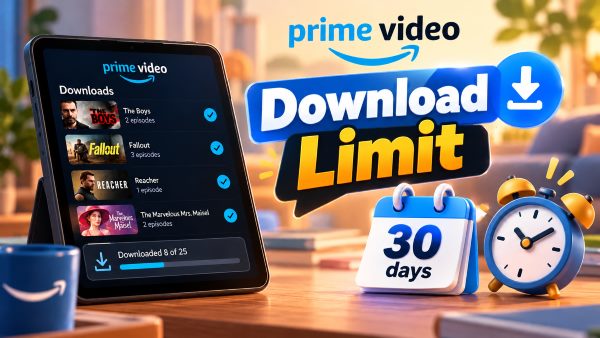
The Core Rules: What Is the Download Limit for Amazon Prime Video?
Amazon Prime Video sets several restrictions on offline viewing, including content permissions, download quantities, device limits, and expiration periods. Understanding these rules will help you manage your downloads from Amazon Prime Video.
1. What Content Can You Download on Prime Video? (Content & Devices)
Not every title on Prime Video is available for offline viewing. Download eligibility depends on the content's licensing terms and whether you access it through a subscription, rental, or purchase. Purchased movies and TV episodes generally offer more flexibility, allowing eligible titles to be downloaded on up to four compatible devices.
Here's a quick overview of the download rules for different types of content:
| Content Type | Available for Download? | Device Limit |
|---|---|---|
| Subscription titles | Yes, if eligible | Generally up to 2 devices per title |
| Rented movies | Yes, if eligible | 1 device at a time |
| Purchased movies and TV episodes | Yes, if eligible | Generally up to 4 devices |
| Certain ad-supported titles | Not always | Depends on availability and licensing |
Offline downloads are supported through compatible Prime Video apps and devices, and web browsers and most smart TV apps do not provide the same offline download functionality. Also, downloaded videos are intended for offline playback within the Prime Video app. You generally cannot transfer the Prime Video files with Chromecast to mirror offline content to another screen.

Can I download a rented movie on Prime Video?
Yes, you can download eligible rented movies through the Prime Video app. However, a rental can only be downloaded to one compatible device at a time. If you remove the download or switch devices, you may need to download the movie again, provided your rental is still valid.
2. How Many Episodes Can I Download on Prime Video? (Numbers)
In the U.S., the Amazon Prime Video download limit depends on your subscription plan. Standard Prime members can download up to 50 titles, while Prime Video Ultra subscribers can download up to 100 titles for offline viewing.
| Subscription Plan | Download Limit |
|---|---|
| Amazon Prime membership | Up to 50 titles |
| Prime Video Ultra | Up to 100 titles |
These limits apply across your account rather than providing a separate allowance for every device. Each TV episode counts as a title, so downloading multiple seasons can quickly use up your quota. If you see a Prime Video download limit reached message, delete downloads you no longer need. Keep in mind that regional availability and individual title restrictions may affect your actual download allowance.
3. How Long Do Prime Video Downloads Last? (Expiration)
The Amazon Prime Video download time limit depends on the title and its licensing terms. Two time restrictions are particularly important when planning to watch downloaded movies and TV shows offline.
- Before playback: Many downloaded titles remain available for up to 30 days.
- After playback begins: You may have 48 hours to finish watching a title once you start playing it.
Once a download expires, reconnect your device to the internet and open Prime Video. If the title is still available to you, you may be able to renew the download or download it again with an active subscription.
How to Fix Prime Video Download Limit Issues
Prime Video applies several types of restrictions, including account-wide download quotas, device limits, and content-specific rules. The best solution depends on which limit you've encountered.
Check Your Existing Downloads and Device Limits
If your phone has no downloaded movies but you still cannot download a title, start by checking other devices linked to your Amazon account. Your download allowance may be affected by titles stored elsewhere, since Amazon applies a maximum download limit across associated devices.
Step 1. Open the Prime Video app on your other phones, tablets, or computers, and check the Downloads section and remove titles you no longer need.
Step 2. If the same title is already downloaded on the maximum number of permitted devices, delete it from one device before trying to download it elsewhere.
 Tips:
Tips:
If the error persists, review your account's registered devices through Amazon's website and deregister devices you no longer use if necessary. But deregistering a device is not guaranteed to reset your Prime Video download quota immediately.

How to Avoid Prime Video Download Expiration
If you're planning to watch Prime Video during a flight or a trip without reliable internet access, a little preparation can help you avoid expired downloads. Keep these tips in mind:
- Check your downloads before leaving. Open the Prime Video app to confirm that your titles are available for offline playback. If you're traveling internationally, remember that regional licensing and subscription restrictions may affect access to certain content.
- Download shortly before your trip. Save your movies and episodes a day or two before departure rather than weeks in advance, and check their expiration dates in the app.
- Wait until you're ready to watch. Some titles have a 48-hour viewing window after playback begins, so avoid starting a movie too early if you won't have time to finish it.
Advanced Strategy: How to Bypass Prime Video Download Limits
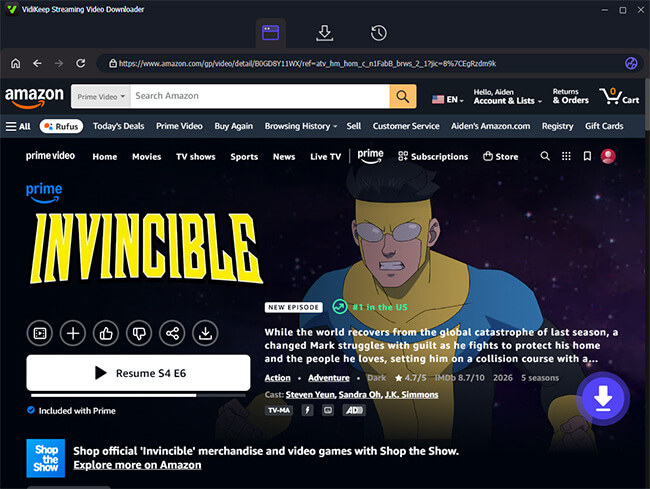
When you rely solely on the official Prime Video app, downloaded videos remain subject to Amazon's device restrictions, DRM protection, and expiration rules. For frequent travelers or viewers who prefer managing their own media libraries, a desktop video downloader such as VidiKeep Streaming Video Downloader offers another approach to offline video management. The dedicated downloader can help save Prime Video shows and movies as local files in formats such as MP4 or MKV, making them easier to organize and play on compatible devices.
- Enjoy offline viewing with fewer app restrictions. Keep downloaded files on your computer and watch them without repeatedly opening the Prime Video app or maintaining an internet connection for playback.
- Reduce reliance on in-app expiration timers. Once a valid local file has been saved, its playback is not governed by the Prime Video app's usual download countdown.
- Build a personal video library. Organize local files into folders by title, season, or genre, making it easier to manage your collection and locate specific episodes.
- Simplify batch downloading. Where supported, process multiple episodes or videos in a batch instead of handling every title individually.
FAQs on Amazon Prime Video Download Limit
What is the Amazon Prime Video download limit for SD cards?
While Android and Fire tablets allow you to route Prime Video downloads to an internal SD card to save space, the files remain heavily encrypted. You cannot take that SD card out and plug it into a laptop or TV; the files are permanently bound to the Prime Video app that downloaded them.
Can I watch downloaded Amazon Prime movies on an airplane?
Yes, you can comfortably watch your saved movies on an airplane by switching your device to airplane mode. Just remember that the 48-hour expiration timer will still be ticking once you hit play.
Why am I not able to download movies in Amazon Prime?
If the download button is missing, it usually comes down to licensing. Certain ad-supported Freevee titles, exclusive third-party add-on channel content, or region-locked movies simply do not have the legal clearance to be cached offline.

Jordan Rhodes is a Chief Technical Editor and Media Specialist at VidiKeep, specializing in creating diverse tech content, including streaming tutorials, software reviews, and video encoding tips.
Leave a Comment