How to Block Ads on Amazon Prime Video
Any way to block ads on Prime Video?" I don't want to pay even more just to remove ads, is there any decent ad blocker that will remove this? I'm looking at uBlock, open adblocker, pi-hole, ghostery but want to know it'll definitely work before i waste time configuring one. So has anyone managed it?
-- From RedditAmazon Prime Video was once known for its relatively clean streaming experience, but with the introduction of ads and steadily rising subscription costs, users are increasingly looking for a reliable Amazon Prime Video ad blocker instead of paying extra for ad-free viewing. In this guide, we break down 7 effective solutions for ad-free Prime Video streaming, including official ad-free plans, browser ad blockers, smart TV workarounds, and offline download methods.
Part 1. Does Amazon Prime Video Have Ads?
Yes, the commercials have become a permanent reality on Amazon Prime Video. Amazon officially rolled out this advertising model in January 2024 to offset massive original content production costs. Now these commercial breaks are now firmly embedded into the majority of movies and series on the platform. To enjoy uninterrupted streaming, you now have to pay an extra fee for the ad-free tier or look for alternative workarounds to reduce or block ads during playback.
Part 2. Upgrading to Prime Video Ad Free Plan
If you prefer an official ad-free experience, Amazon offers a paid upgrade option, but the pricing and features have changed significantly. Previously, Prime members could remove ads for an additional $2.99 per month. However, in April 2026, Amazon restructured the service and rebranded the premium tier as Prime Video Ultra. Now, getting an ad-free Prime Video experience costs an extra $4.99 per month on top of a standard Prime membership.
The update also introduced stricter feature limitations for regular subscribers. Standard ad-supported plans are now limited to HD streaming, while premium features like 4K UHD video quality and Dolby Atmos audio are exclusively reserved for Prime Video Ultra subscribers.
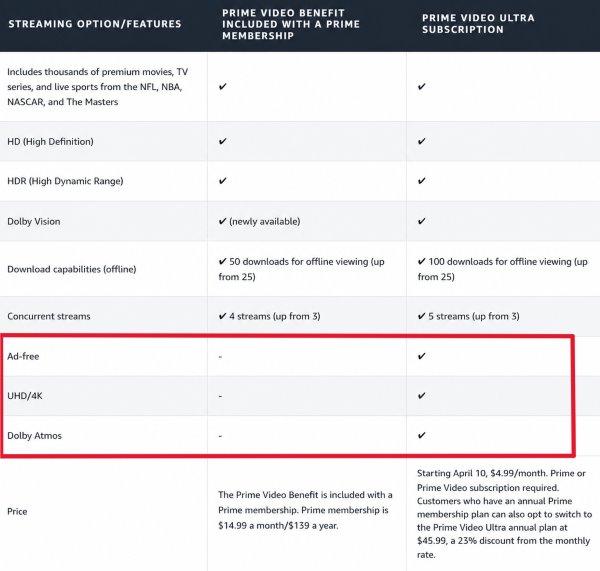
Before you can purchase the Prime Video Ultra upgrade, you must ensure you already have an active Amazon Prime membership or a standalone Prime Video subscription. Here is how to subscribe for ad-free in Amazon Prime Video when using a browser.
Step 1. Sign in to your Amazon profile and head directly to the Prime Video "Account & Settings" portal.
Step 2. Search for the specific button labeled "Go Ad Free with Ultra" and click it to begin the transition.
Step 3. Hit "Start Subscription" and double-check your billing information to authorize the new monthly or annual charge.
 Why Am I Still Seeing Ads on Prime Video Premium?
Even with the Prime Video Ultra ad-free upgrade, some advertisements cannot be completely removed. Amazon still inserts commercials in certain types of content and playback scenarios. You may still see ads in the following cases:
- Live TV and Sports Broadcasts: Events such as live channels still include commercial breaks.
- Amazon Promotional Trailers: Brief promos for Amazon Originals may play before your movie or show starts.
- Freevee and "Watch with Ads" Titles: Content labeled "Included with Freevee" or "Watch with ads" remains ad-supported regardless of your Prime subscription level.
Part 3. Block Ads on Amazon Prime Video Using Ad Blockers
For viewers who prefer not to pay the increased monthly fee, figuring out how to block ads on amazon prime video has become a top priority. Depending on your primary viewing device, there are several reliable software solutions designed to tackle streaming commercials. Here are the best ad blocker for Prime Video currently available for eliminating commercial interruptions..
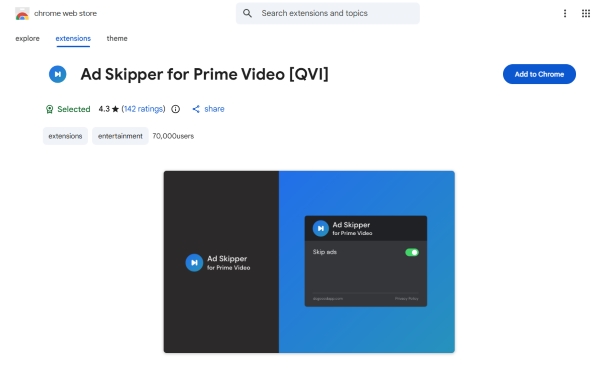
Ad Skipper for Prime Video [QVI]
This specialized browser extension focuses entirely on manipulating the Amazon web player rather than intercepting external ad servers. Instead of trying to block the commercial file, which can often cause the video player to crash, it automatically mutes the audio and fast-forwards through the ad break at maximum speed. It essentially automates the manual skipping process so you do not have to touch your mouse or keyboard.
 Tips:
Tips:
If you want a similar backup option, Amazon Prime Freevee Skipper is also worth trying. It is specifically designed to skip ads on both Prime Video and Amazon's Freevee ad-supported content, making it a useful alternative whenever another prime video ad blocker temporarily stops working after platform updates.
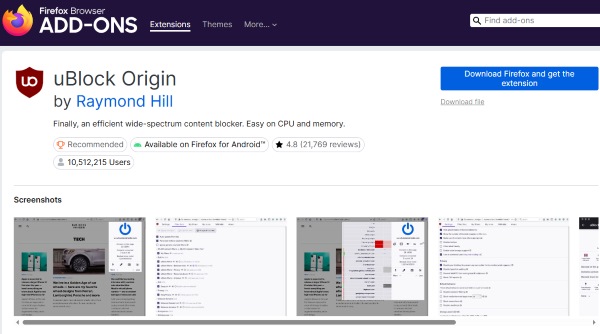
uBlock Origin
Widely regarded as the most powerful free ad blocker Amazon Prime Video users can install, uBlock Origin is an open-source extension that aggressively filters out intrusive scripts. It performs exceptionally well on the Firefox browser. Since it relies on highly active, community-driven filter lists, it updates very quickly whenever Amazon changes its ad delivery methods.
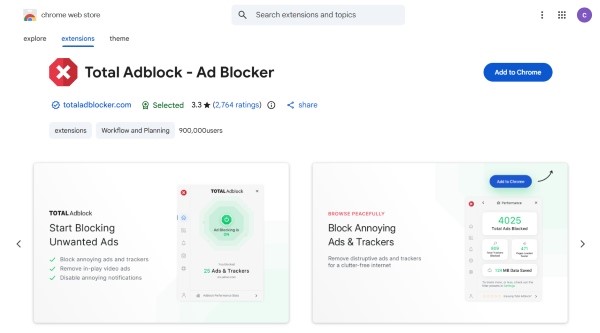
Total Adblock
If you want a hassle-free web filtering experience, Total Adblock is an excellent alternative. This software provides robust protection against video commercials and tracking scripts across all major browsers, offering a seamless plug-and-play experience. While the free version is heavily restricted, the paid license offers dedicated customer support to ensure your ad blocker for amazon prime video remains effective over time.
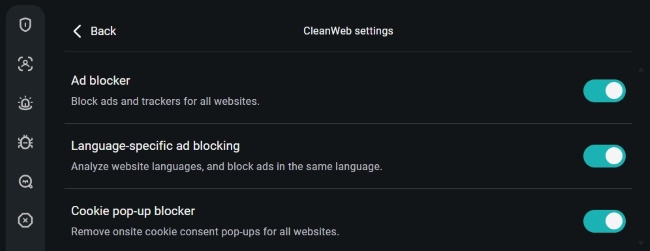
Surfshark CleanWeb
For those who primarily watch Prime Video on a smart TV, gaming console, or streaming stick, standard browser extensions are not an option. Surfshark CleanWeb solves this problem by acting as a network-level prime video ad blocker via a secure VPN connectionreach the streaming app on your TV. It can intercept marketing domains before they ever reach your Prime Video streaming app on TV.
Part 4. Download Prime Video for an Ad-Free Experience
While ad blockers can improve the Prime Video streaming experience, the most reliable way to enjoy Prime Video without ads is to bypass the web player entirely. By saving movies and shows as local MP4 files, you can watch your content from Prime Video without ads interruptions or download expiration limits.
VidiKeep Streaming Video Downloader provides a practical solution for building an ad-free Prime Video library offline. With its built-in browser and advanced download engine, it allows you to download ad-free Prime Video content in up to 1080p while preserving original audio tracks and subtitles. Batch downloads for full movies and entire TV seasons are also supported, making it easy to watch Amazon Prime Video free from ads and DRM limitations.
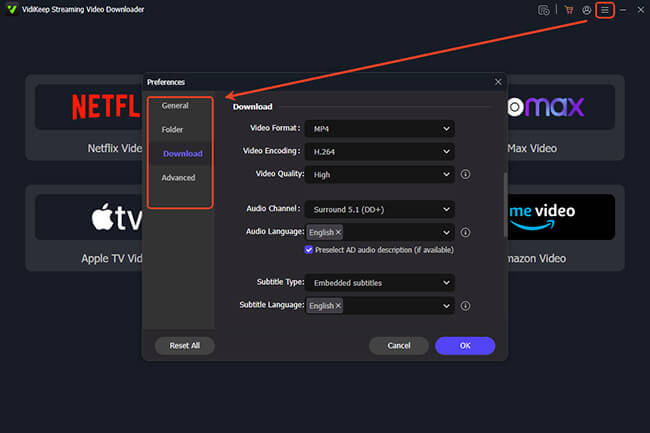
Step 1. After installing and opening the software on your computer, head to the "Menu" icon. Navigate through "Preference> Download" to set up your video parameters. You can designate MKV or MP4 as your format for Prime Video, and select a video quality on your demand.
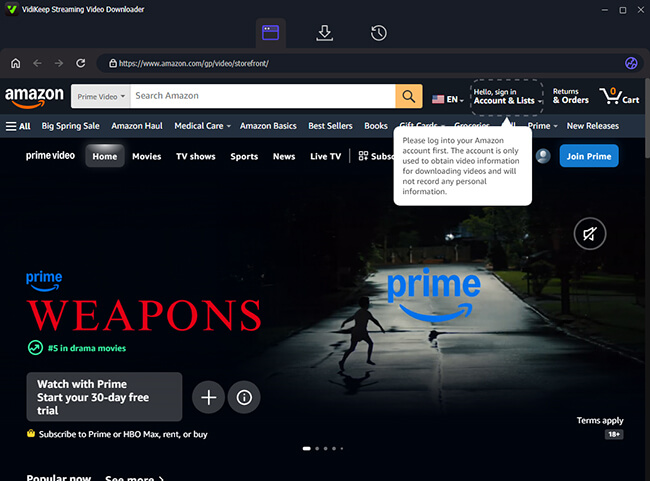
Step 2. Click the Amazon Video portal to launch the app's built-in secure browser. Sign in using your regular account credentials. This step allows the downloader to securely access the high-definition media tied to your active membership.
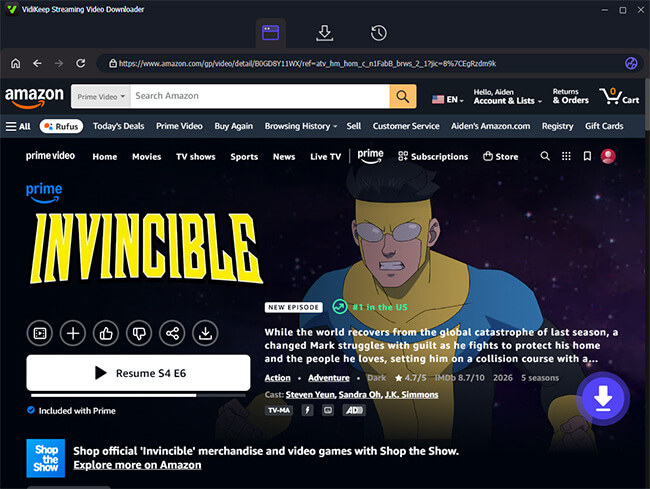
Step 3. Search for the target movie or show and open its main detail page. On the lower right side of the screen, you will spot a floating "Download" button. Clicking this prompts the program to fetch the video's metadata, preparing to export the Prime Video files without ads.
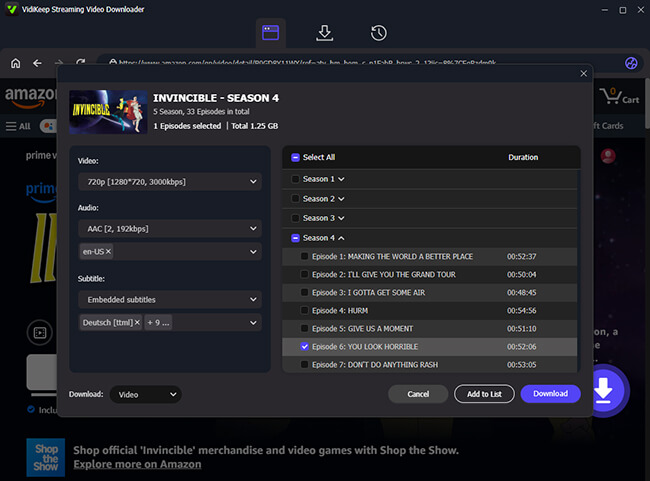
Step 4. A configuration window will appear that you can adjust settings again. Once you are satisfied with your selections, hit the primary "Download" button to begin the extraction. There is also a "Add to List" button for batch downloading to queue up entire seasons. Once it finishes, your Amazon media is fully stored locally ready for uninterrupted and ad-free playback.
Part 5. Turn to Ad-Free Alternative Streaming Services
If you are tired of paying extra just to remove ads from Prime Video, switching to a truly ad-free streaming service may be the better long-term solution. Many users frustrated with rising subscription costs and increasing commercial interruptions are now exploring alternative platforms that still prioritize uninterrupted viewing.
Apple TV is one of the strongest ad-free alternatives. Unlike Amazon Prime Video with ads, Apple focuses almost entirely on premium original content without inserting commercial breaks into the viewing experience. By moving to a fully ad-free platform, you can enjoy smoother streaming without relying on an ad blocker or paying additional upgrade fees.
Part 6. Prime Video Ad-Blocking Solutions Compared
| Solutions | Core Type | Supported Devices | Cost | Best For | Pros & Cons |
|---|---|---|---|---|---|
| Prime Video Ultra | Official Upgrade | All supported devices | $4.99/month extra | Seamless, official streaming on any device | Flawless playback with 4K and Dolby Atmos; still shows pre-roll promos and live TV ads. |
| Ad Skipper [QVI] | Browser Extension | Chrome/Edge/ Brave/Opera |
Free | Hands-free ad skipping on desktop | Automatically mutes and fast-forwards without breaking the player; unavailable for TVs. |
| uBlock Origin | Ad Blocker | Firefox/Brave/ Edge/Opera/ Safari/Chrome |
Free | Tech-savvy desktop users | Powerful open-source script blocking; requires occasional manual filter updates. |
| Total Adblock | Ad Blocker | Chrome/Edge/ Safari/Opera |
$19.99/year, renews at $99 | Hassle-free, premium web filtering | Easy plug-and-play setup with dedicated support; free version is highly restricted. |
| Surfshark CleanWeb | Network Blocker (VPN) | PC/Mobile/ Smart TVs/Consoles |
$47.85/year | Smart TV and whole-home protection | Covers the entire household including living room TVs; router setup can be complex. |
| VidiKeep | Video Downloader | Windows/Mac | $89.95/year | Offline viewing and building a local library | Completely avoids online ad injection for permanent offline viewing; lacks instant playback. |
Part 7. Conclusion
If you want the simplest official option, upgrading to the ad-free Prime Video plan provides the smoothest playback experience. If you prefer avoiding additional subscription fees, the powerful adblocker tools can help reduce Prime Video ads across different devices. Meanwhile, downloading videos locally with VidiKeep offers the most reliable long-term way to watch Prime Video without ads.

Jordan Rhodes is a Chief Technical Editor and Media Specialist at VidiKeep, specializing in creating diverse tech content, including streaming tutorials, software reviews, and video encoding tips.
Leave a Comment